The Zombies behind Photo Day Zombies have been in the volume photography industry for the last decade.


The PDZ Toolkit is a suite of custom designed tools for Windows and macOS to streamline workflows for Volume Photographers who use Pixnub. This toolkit is built by a volume photographer who has dedicated himself from preventing others from becoming zombies with the boring repetitive and time-consuming tasks that are apparent in every workflow. If there is an area that can be streamlined, our zombies are looking into it.

Undead SPA Factory Icon
Undead SPA Factory
PDZ Toolkit

Zombie SPA Factory

Windows / macOS

Build Pixnub Sports Photo Automation CSVs in seconds.

The Zombie SPA Factory is a tool designed to generate simple or highly complex CSVs far faster than building them manually. Every photographer knows how frustrating it can be to get everything aligned and correct on the first try — this tool takes that burden off your shoulders. Built by a photographer who understands the struggle of working with real-world data and intricate CSV requirements, it focuses on making your workflow easier, faster, and more accurate.

Introducing the Fiend Finder! This integrated tool will auto-find and sort your images to a buddies folder so you don't have to do it manually any more. If it can see the face, it can sort them for you.

Unlike other tools that lock you into a single workflow, the Zombie SPA Factory is engineered to be flexible, supporting most industry workflows with ease.

  • • No limit to number of Photoshop Templates
  • • Continually Updated for the most recent SPA Updates
  • • Simple, intuitive workflow
  • • Pre-Actions, Template-Actions, Post Actions, Text Replacement
  • • Limit what teams are executed against specific templates
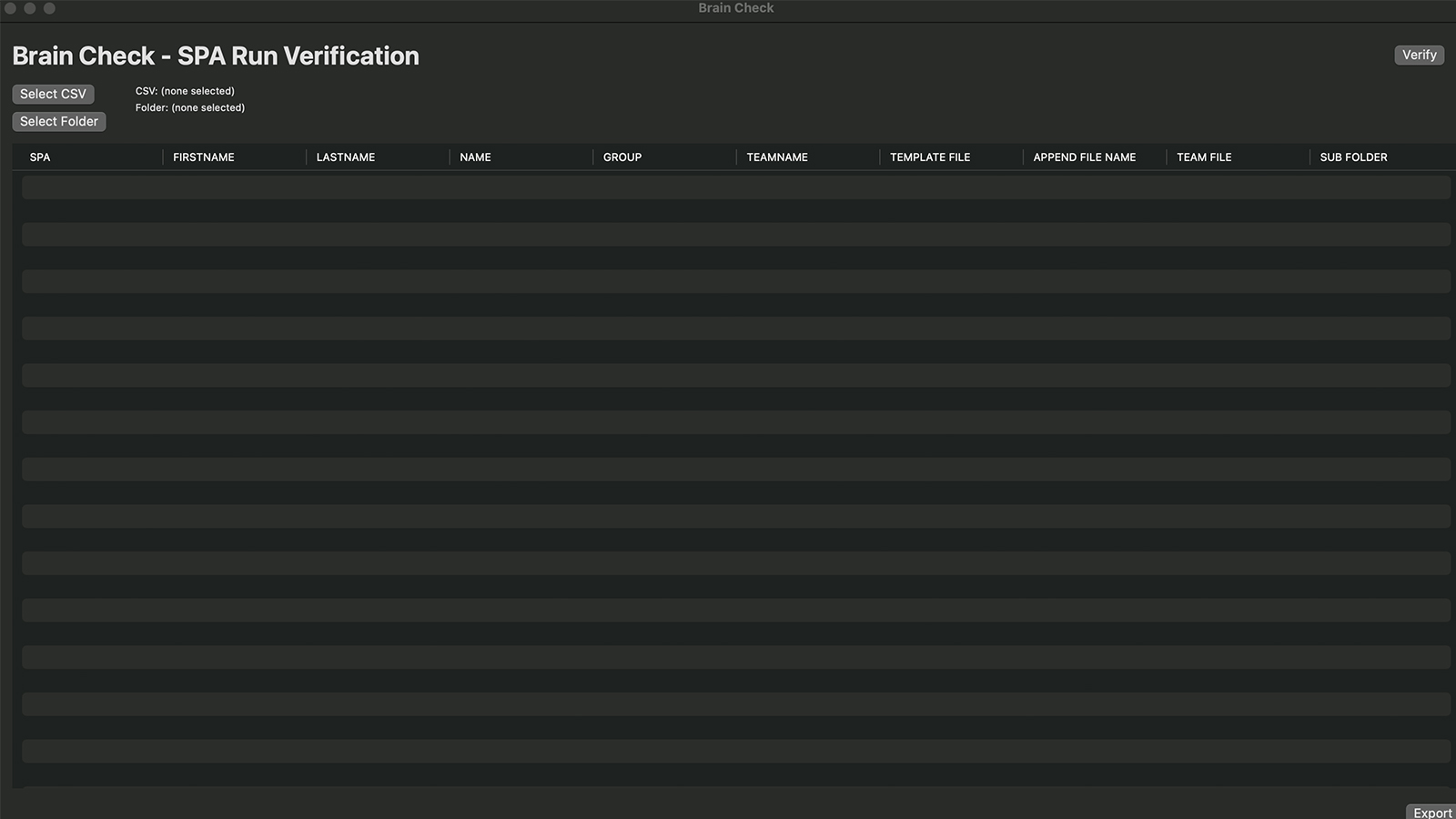
Brain Check

Windows / macOS
No more hunting for missing images after an automation.

The amazing thing about Pixnub is you can run thousands of images in a single run. The downside, happens when you ran 12,000 images and only see 11,826 were actually created. There is no easy way to determine what did not get created. That is the beauty of Brain Check.


This tool will locate all of your missing images from your automation and give you just the rows needed to run them again. Simply verify, and download your new CSV to feed directly back into Pixnub Sports Photo Automation.

Brain Check Icon
Brain Check

Graveyard Sorter Icon
Brain Check
PDZ Toolkit

Graveyard Sorter

Windows / macOS

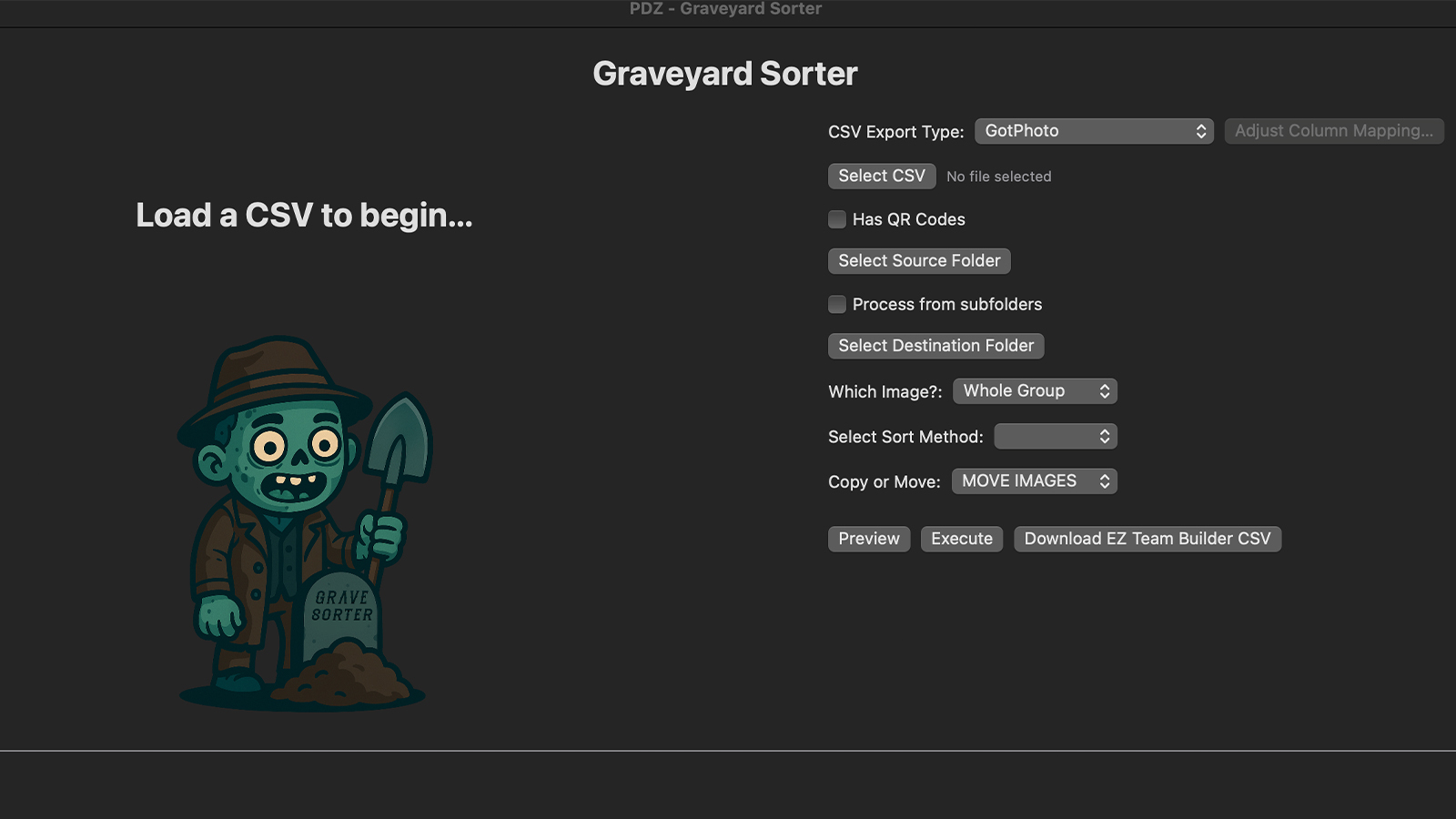
Sort your images into ready to build teams in seconds.

Meet the Graveyard Sorter. This tiny, but powerful app, will let you sort your images locally using your csv as the driving source.You can sort your images into folders by Group/Team in seconds.

The true power are for those truly consistent shooters. If your first, second, or last image is the image you know will be used for your team builds, then you can automate separating them all into their own team builds folder. No more having to drag and drop images by hand into their folder. That is too much of a time suck. From there, you feed these into Pixnub EZ Team Builder and let it build your teams for you! From extraction to building teams in less than 5 minutes.


Outbreak Sync-E (Entagged)

Windows / macOS

Keep your data alive. Keep your workflow out of the grave.

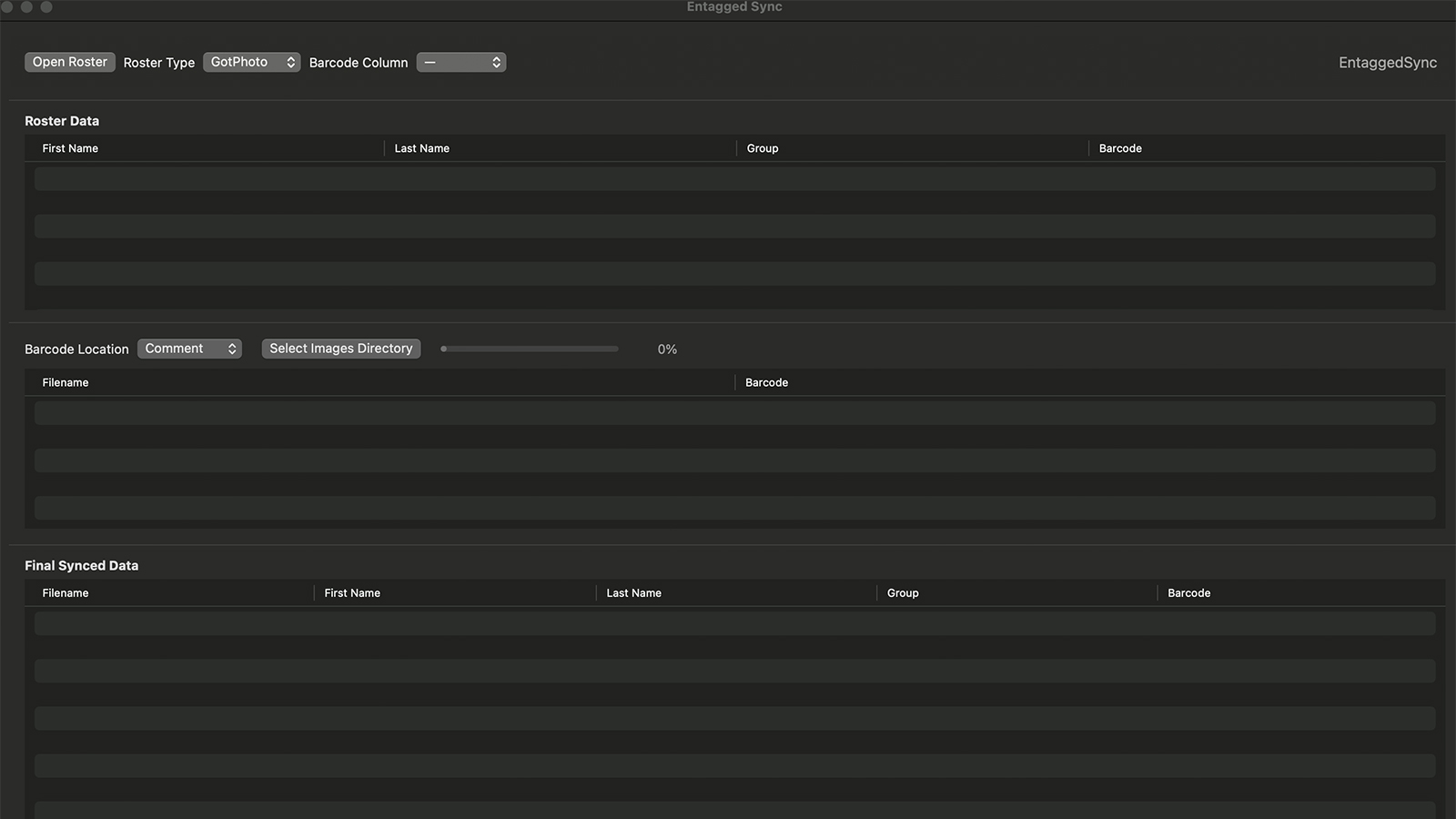
Outbreak Sync-E brings your roster data and photographed images back together locally on your Mac—without the extra upload-and-download shuffle just to get your data where it belongs. Import your roster, point this app at your images, and it reads the embedded barcode or access-code data to reunite each image with the correct player information.

But syncing is only the beginning.

The built-in Visual Review lets you actually see what happened on shoot day before your images move deeper into production. Review images by filename or image count, quickly spot unmatched photos and players who may not have been photographed, filter by team or group, and visually verify that the right images belong to the right athletes.

Find a mistag? Fix it right there. Entagged Sync can add, remove, replace, or correct barcode and access-code information directly on your local image files—including handling images with multiple codes. No bouncing between applications or discovering the mistake after you've already moved on to the next stage of your workflow.

When everything looks good, export your freshly synced CSV with the roster data you actually need and send the job on its way.

One application. One local workflow. A whole lot fewer opportunities for bad data to come back from the dead.

Import it. Sync it. See it. Fix it. Export it.

Outbreak Sync-E Icon
Outbreak Sync-E

Tomb Builder Icon
Tomb Builder
PDZ Toolkit

Tomb Builder

Windows / macOS

Bury the busywork before it comes back to haunt you.

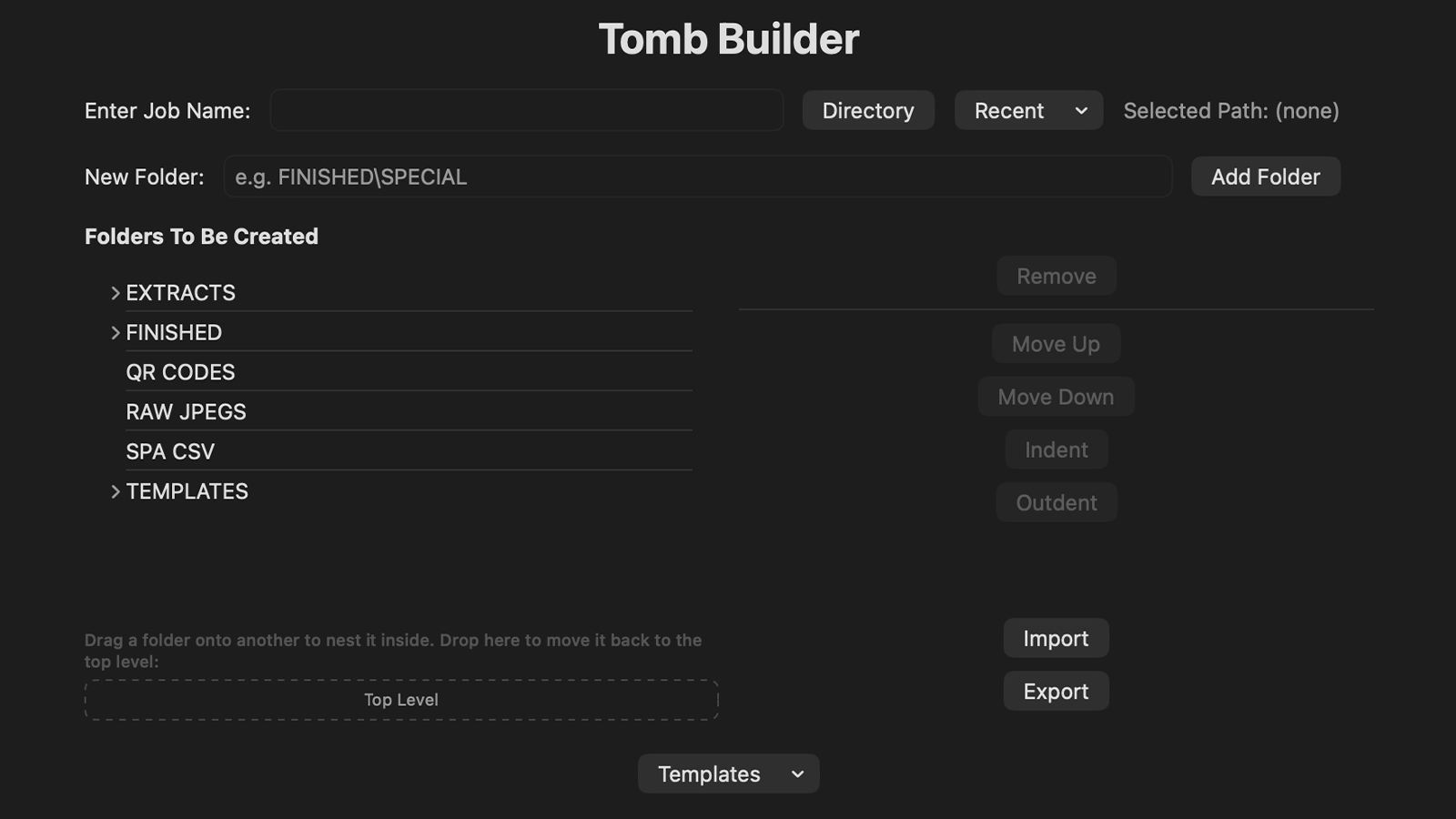
Tomb Builder creates your entire job folder structure in seconds, so every shoot starts organized and ready for your workflow. Build and customize nested folder layouts, save reusable templates, rearrange folders with drag-and-drop, and preview everything before a single folder is created. It even remembers recent jobs and safely adds missing folders to existing ones without disturbing what's already there.

The true power are for those truly consistent shooters. If your first, second, or last image is the image you know will be used for your team builds, then you can automate separating them all into their own team builds folder. No more having to drag and drop images by hand into their folder. That is too much of a time suck. From there, you feed these into Pixnub EZ Team Builder and let it build your teams for you! From extraction to building teams in less than 5 minutes.

Stop digging folders by hand. Let Tomb Builder do the grave work.